

.png "H96 Max Android TV Box video reviews and tutorials on YouTube")
.png "H96 Max Android TV Box photos and lifestyle shots on Instagram")



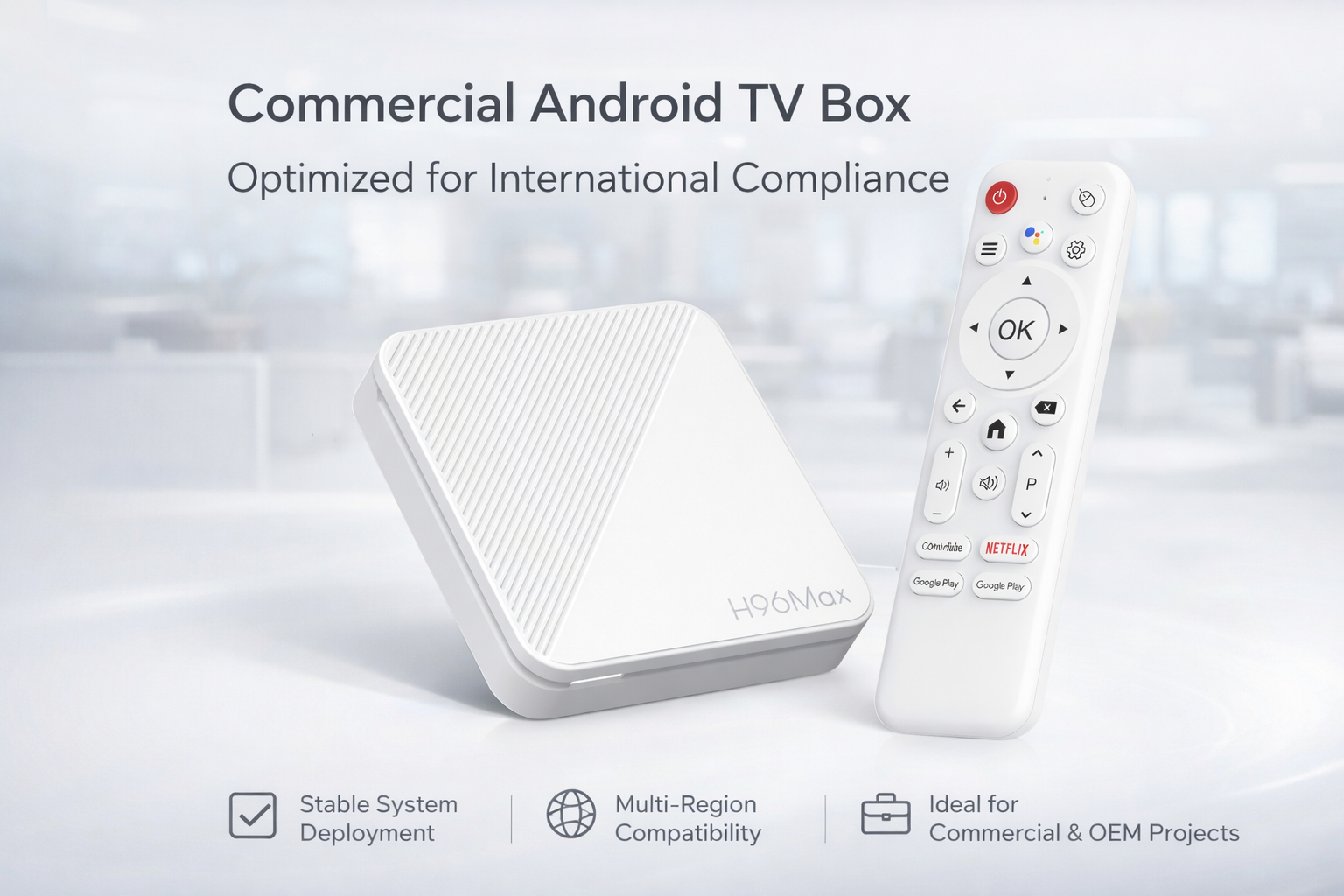
7 Critical Mistakes to Avoid When Buying an Android TV Box Abroad
For international buyers, choosing the right streaming device can be overwhelming. This Android TV Box Buying Guide delivers an in-depth look at the 7 mistakes to avoid when buying Android TV Box so you can sidestep the most common pitfalls and secure the best device for your needs. The process of buying an Android TV Box is fraught with risks if you’re unaware of critical details, and this guide brings expert knowledge to ensure your investment is smart, safe, and long-lasting.
1. Overlooking Hardware Specifications
The foundation of any good streaming experience starts with hardware. Android TV Box pitfalls often stem from selecting a box with insufficient RAM, subpar processors, or inadequate storage. Many buyers focus on attractive prices or flashy exteriors without comparing specs. As emphasized throughout this Android TV Box Buying Guide, your first consideration should be RAM (minimum 2GB for most uses), a modern CPU (such as Amlogic or Rockchip), and at least 16GB of internal storage. These specs are key for smooth streaming, multitasking, and installing essential apps. Neglecting this leads to poor performance, lags, and system crashes, making it a classic Android TV Box buying mistake.
2. Ignoring Software Compatibility and Updates
Not all Android TV Boxes are created equal when it comes to software. A top Common mistake when buying Android TV Box is overlooking whether the device supports the latest Android OS, receives regular security updates, or is certified for popular apps. Many boxes run outdated Android versions, creating compatibility issues with Netflix, Disney+, and others. To avoid such Android TV Box pitfalls, check the manufacturer’s reputation for ongoing support and updates. Reliable vendors keep their firmware current and address vulnerabilities promptly, which is essential for privacy and user experience.
3. Falling for Misleading Product Descriptions
Online listings frequently exaggerate specifications or hide limitations. A key Android TV Box buyer guide principle is verifying claims about 4K streaming, HDR support, or hardware acceleration. Unscrupulous sellers may promote cloned models with counterfeit chipsets or inflated memory numbers. To guard against Common pitfalls when choosing Android TV Box, consult independent reviews, community forums, and trusted tech sites before making your decision. Genuine models will be openly discussed in enthusiast groups and receive consistent feedback from real users.
4. Underestimating Regional Restrictions and Content Lock
Many overseas buyers face disappointment when their Android TV Box cannot access key apps due to geo-blocking or regional DRM restrictions. A frequent Android TV Box buying mistake is failing to check if the device is certified for Netflix HD, Prime Video, or supports Google Play Services in your region. Without these certifications, your box may only play limited content at low resolutions. Research whether a VPN is needed, and ensure the box supports widevine L1 (for HD streaming) if premium content is a priority. This Android TV Box Buying Guide stresses the importance of regional compatibility for a frustration-free experience.
5. Neglecting Connectivity and Ports
Another common Android TV Box pitfall is buying a device with insufficient connectivity. Pay close attention to the types and numbers of ports: HDMI 2.0 or higher for true 4K output, USB 3.0 for fast file transfers, and Gigabit Ethernet for stable streaming. Some cheaper boxes cut corners on port quality or omit key features like Bluetooth or dual-band WiFi. Before purchasing, list all the external devices you plan to connect, and confirm compatibility for each. Missing or outdated connections quickly become a bottleneck for performance and convenience.
6. Overlooking User Interface and Remote Design
An intuitive interface and reliable remote can make or break the Android TV Box experience. How to choose Android TV Box isn’t just about hardware specs; it’s about usability. Clunky navigation, unresponsive remotes, or lack of voice control features are frequent complaints among buyers. Prioritize boxes with an Android TV OS (not just generic Android) and remotes featuring air mouse or voice input for seamless control. Reading user reviews about interface fluidity and remote durability can prevent daily frustrations.
7. Failing to Consider After-Sales Support and Warranty
Warranty and support are often afterthoughts, but they are vital, especially for international shoppers. Android TV Box pitfalls multiply if you encounter defects and have no access to repair or replacement services. Choose brands with global warranty coverage or a strong local distributor network. Responsive customer support, accessible manuals, and active online communities can greatly ease troubleshooting and enhance long-term satisfaction. A reputable Android TV Box buyer guide will always recommend checking support policies before you buy.
Conclusion: Make Your Android TV Box Purchase with Confidence
By understanding and avoiding these 7 mistakes to avoid when buying Android TV Box, you can navigate the complex overseas marketplace with confidence. Whether it’s verifying hardware, software, or after-sales support, each step in this Android TV Box Buying Guide is essential to securing a reliable, high-performance device tailored to your needs. Investing time upfront will save you hassle, money, and disappointment, ensuring your streaming experience is smooth and future-proof. Use this guide as your expert reference, and you’ll sidestep the common pitfalls when choosing Android TV Box—every time.
READ MORE
Quick Links

.png "Watch H96 Max Android TV Box reviews on our YouTube channel")

.png "Explore H96 Max product photos on Instagram")














