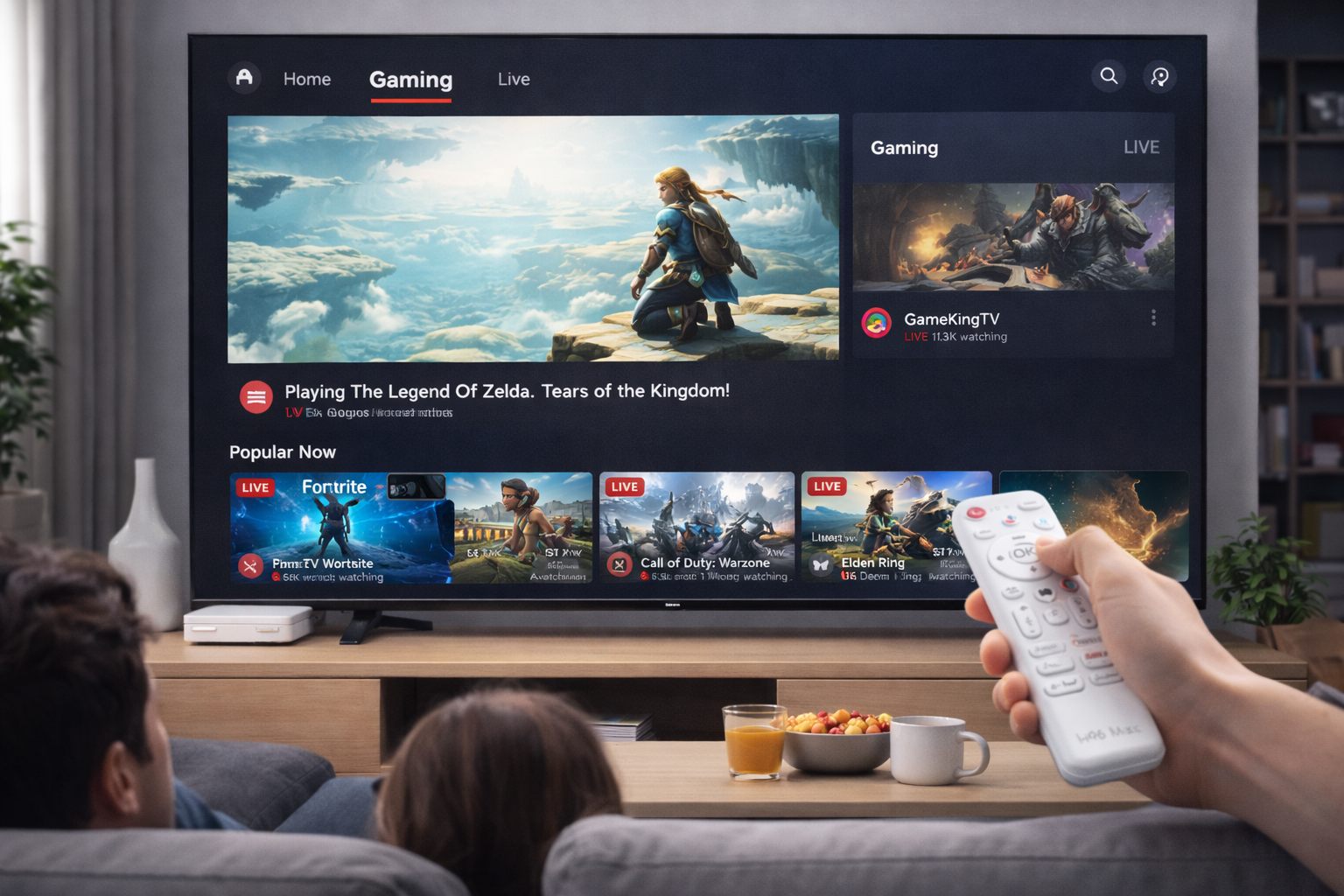
Why Android TV Box UI Varies So Much Between Brands
When users compare different smart TV boxes, one of the most noticeable distinctions is the Android TV Box UI. It determines not only how intuitive the device feels but also how responsive it performs. Yet, despite running the same Android base, no two boxes deliver the same experience. The reasons for these differences are rooted in firmware optimization, hardware coordination, design principles, and ongoing software support.
Firmware Engineering and Optimization
The performance of any Android TV Box UI starts with how well the firmware is developed. Some manufacturers prioritize optimization—reducing background processes, streamlining transitions, and enhancing visual rendering—while others neglect this layer. H96 Max engineers invest heavily in refining the system kernel and improving memory management, resulting in smoother animation flow, quicker app switching, and minimal input delay. A well-optimized firmware turns ordinary hardware into a premium-performing experience.
Hardware Compatibility and Integration
Hardware performance alone doesn’t guarantee a good interface. Even with similar specifications, the overall user experience varies due to how firmware communicates with components like CPU, GPU, and storage. Efficient synchronization between these elements creates a responsive and stable Android TV Box UI. Poorly tuned devices, on the other hand, suffer from lag, overheating, or crashes. The H96 Max lineup is known for achieving this delicate hardware-software balance, ensuring consistent 4K playback and smooth interface transitions.
Visual Design and Navigation Flow
Aesthetics and functionality work hand-in-hand in any UI. The best Android TV Box interfaces feature clean layouts, simple menus, and easily recognizable icons. Overcomplicated designs clutter the screen and confuse users. H96 Max adopts a minimalist interface that prioritizes content access and visual comfort. Its menu structure ensures users can reach their favorite apps and settings within seconds, reducing friction and improving satisfaction during everyday use.
System Updates and Longevity
UI responsiveness and compatibility degrade over time without continuous updates. Many Android TV Box manufacturers fail to provide long-term support, leaving their systems outdated. H96 Max regularly releases firmware updates that not only enhance visual quality but also introduce smoother transitions and stronger app compatibility. These updates help preserve the performance of the Android TV Box UI, ensuring users continue to enjoy fast and reliable operation.
Reducing Lag and Resource Overload
Laggy UIs are often caused by excessive background services, pre-installed applications, or poor caching management. By removing unnecessary processes and reducing visual effects, high-quality systems achieve a fluid and lightweight UI environment. H96 Max’s design team carefully calibrates the launcher and background handling to ensure consistent performance even under heavy use, resulting in a stable and smooth interface every time.
Artificial Intelligence and UI Adaptability
The modern Android TV Box UI has evolved beyond simple interfaces to intelligent systems that adapt to user behavior. With AI-driven algorithms, content suggestions, and voice commands, users experience a more personalized and responsive interface. H96 Max integrates these smart technologies to enhance usability—learning user preferences, optimizing recommendations, and improving accessibility through voice control integration.
Conclusion
The diversity in Android TV Box UIs highlights how software development, design aesthetics, and update frequency define the overall experience. Devices like H96 Max demonstrate that excellence in interface performance requires more than powerful specs—it demands thoughtful optimization, consistent updates, and intelligent design. A superior Android TV Box UI not only looks appealing but enhances daily usability, offering users an effortless, engaging, and enjoyable entertainment experience.
Follow H96 Max original factory for the best Android TV Box UI experience and contact us for inquiries.
READ MORE


.png "H96 Max Android TV Box video reviews and tutorials on YouTube")
.png "H96 Max Android TV Box photos and lifestyle shots on Instagram")




.png "Watch H96 Max Android TV Box reviews on our YouTube channel")

.png "Explore H96 Max product photos on Instagram")














